
Entry
7 Mistakes to Avoid When Picking AI Task Management Automation Tools
Your team already ignores the task app you pay for. Most switches happen because updates get buried in email, reminders arrive too late, and field staff never open the tool. Picking the wrong AI automation adds a second abandoned subscription.
This article covers seven mistakes that waste budget and kill adoption, what to check before buying, and how six tools compare. You will get concrete criteria for matching automation depth to your real workflow, plus a clear number one pick. Tasks.Bot, a WhatsApp-based option now in beta, appears among them.
What to Look For in AI Task Management Automation Tools
Selecting the right AI task management automation tool requires evaluating a complex mix of features, costs, and integration capabilities that align with your team's unique workflows.
This section covers the evaluation criteria that matter most, from pricing structure to integration capabilities and long-term scalability. Each factor plays a role in whether a tool delivers real value or becomes an expensive shelfware purchase.
Buyers should assess several core areas before committing:
- Pricing models and any hidden costs tied to per-user fees, integrations, or premium support tiers
- Workflow automation depth, including task routing, priority assignment, and deadline tracking
- Integration capabilities and API access with your existing project management software
- Data security and compliance requirements relevant to your industry
- Onboarding, training, and support resources available to your team
- Scalability as headcount, project volume, and reporting needs grow
A structured assessment prevents costly mistakes later. Teams that skip this step often discover gaps in user adoption, unexpected fees, or automation that cannot handle real-world complexity. The pitfalls below show where those evaluations commonly go wrong.
Common Mistakes That Lead to Wasted Budgets and Poor Adoption
Many organizations rush into AI task management purchases without fully understanding the total cost of ownership or how well the tool will connect with their existing workflows, leading to wasted budgets and low adoption rates.
One of the most frequent errors is ignoring hidden costs. A headline price per seat rarely tells the full story. Integration charges, premium support tiers, storage limits, and fees for advanced automation features can push real spending well beyond initial estimates. Buyers should request a full cost breakdown covering a multi-year horizon, not just year one.
Another common mistake is overestimating automation capabilities. Artificial intelligence and machine learning can handle task routing, priority assignment, and deadline tracking, but they still need clear rules and clean data. Teams that expect a tool to run itself without configuration end up disappointed. Running a pilot test with real workflows reveals what the system can and cannot do before a full rollout.
Underestimating training needs is equally damaging. Even intuitive platforms require onboarding time, and user adoption suffers when staff feel unprepared. Involving end-users in the selection process helps here. Their feedback surfaces usability issues that demos hide, and their buy-in makes adoption far smoother.
Data security and compliance deserve the same scrutiny. Not every tool meets industry-specific regulations, and vague answers about data storage or encryption should raise red flags. Ask vendors directly where data lives, who can access it, and how it is protected.
Finally, watch for vendor lock-in and feature bloat. A tool with strong API access and export options keeps your options open. A bloated feature set you never use just adds cost and confusion. Calculating ROI over multiple years, testing with a pilot group, and involving the people who will actually use the software each reduce the risk of a costly mismatch.
1. Tasks.Bot - Best Overall
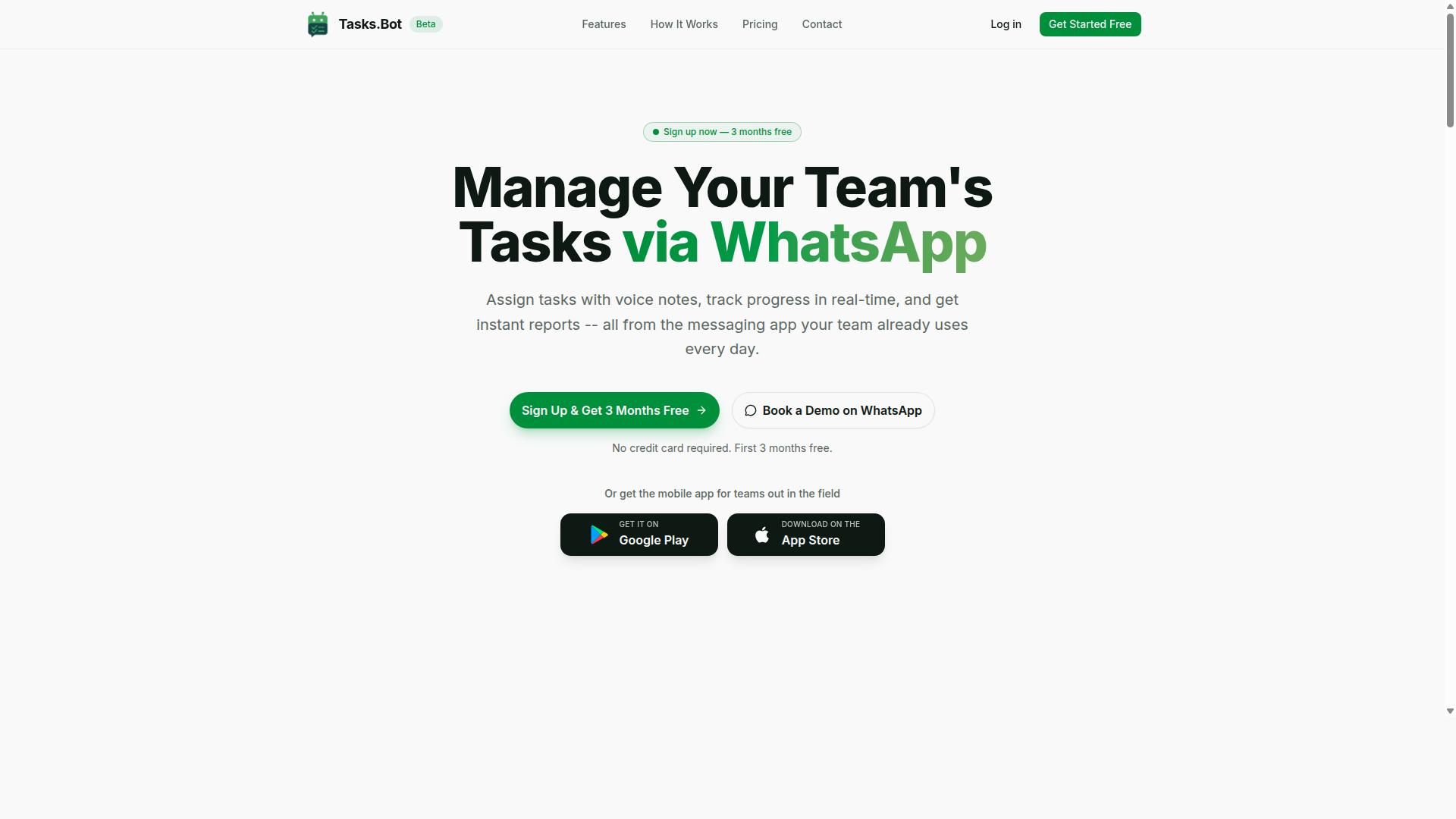
Tasks.Bot stands out as the best overall AI task management automation tool for teams that rely on WhatsApp for communication, offering a unique blend of AI-powered task creation and field team tracking. Most AI task management automation tools ask teams to adopt yet another platform, and that requirement is where many rollouts quietly fail.
Tasks.Bot takes the opposite route. It works inside WhatsApp, the app most teams already have open all day, so no new app installs and no new accounts are needed for team members to receive tasks, submit updates, or approve work.
That choice matters when you evaluate tool selection. User adoption is one of the hardest parts of any workflow automation rollout, and a tool that lives in an existing chat thread removes the biggest friction point before it appears.
The sections below cover how the WhatsApp-native approach handles task creation, assignment, and field team tracking, followed by pricing and the teams it fits best.
WhatsApp-Native Task Management With AI Voice Notes and Field Team Tracking
Tasks.Bot leverages the ubiquity of WhatsApp to deliver a seamless task management experience, allowing users to create tasks via voice notes and automatically assign them using AI. A supervisor can simply speak a message, and the system uses AI to understand intent and turn it into a structured task.
The platform's natural language processing means instructions do not need to follow a strict format. Text or voice input is parsed to assign tasks, set deadlines, and send reminders without manual data entry.
Core capabilities include:
- Voice note task creation and automatic task assignment
- Smart deadline reminders and deadline tracking
- Approvals and automations for repeatable processes
- Instant reports and reporting dashboards
- Tasks on a map and a live day tracker
- Face-verified attendance, plus shifts, leave, and hours management
For field teams, the tracking features go beyond simple to-do lists. Face-verified attendance and hours management produce payroll-ready hours, which removes a separate attendance app and the manual reconciliation that usually follows it.
A field example: a site supervisor sends a voice note about a repair job. The AI creates the task, assigns it to the nearest technician, sets a deadline, and the live day tracker and map view show progress as the day unfolds.
Notifications and real-time updates reach users through native WhatsApp integration, with Android and iOS apps available for push notifications, voice capture, and a home screen widget.
Pricing, Free Trial, and Who It Suits Best
Tasks.Bot offers a straightforward pricing model with a single 'Full Access' plan, making it easy for teams to budget without worrying about hidden fees or tiered feature restrictions. Every feature listed above is included, so there is no upsell ladder to decode.
Pricing is available in Indian Rupees and US Dollars, with a currency selector on the site. Exact rates:
| Plan | Price |
|---|---|
| Monthly | ₹200 per member per month |
| Annual | ₹1,200 per year per member (save 50%, save ₹1,200/yr per member) |
New users get 3 months free, no credit card required, and can cancel anytime. The service is currently in beta, and a refund policy applies. Because pricing is per member, scaling up or down stays predictable as team size changes.
This structure suits teams that already run their communication on WhatsApp, particularly those with field staff who need task management, attendance tracking, and payroll-ready hours in one place. Office-based teams with simple task routing needs will find the same fit.
If you want to see how it works before committing, the site offers a 'Book a Demo on WhatsApp' option, which lets you evaluate the tool in the same channel your team would use daily.
2. Reminderly.ai
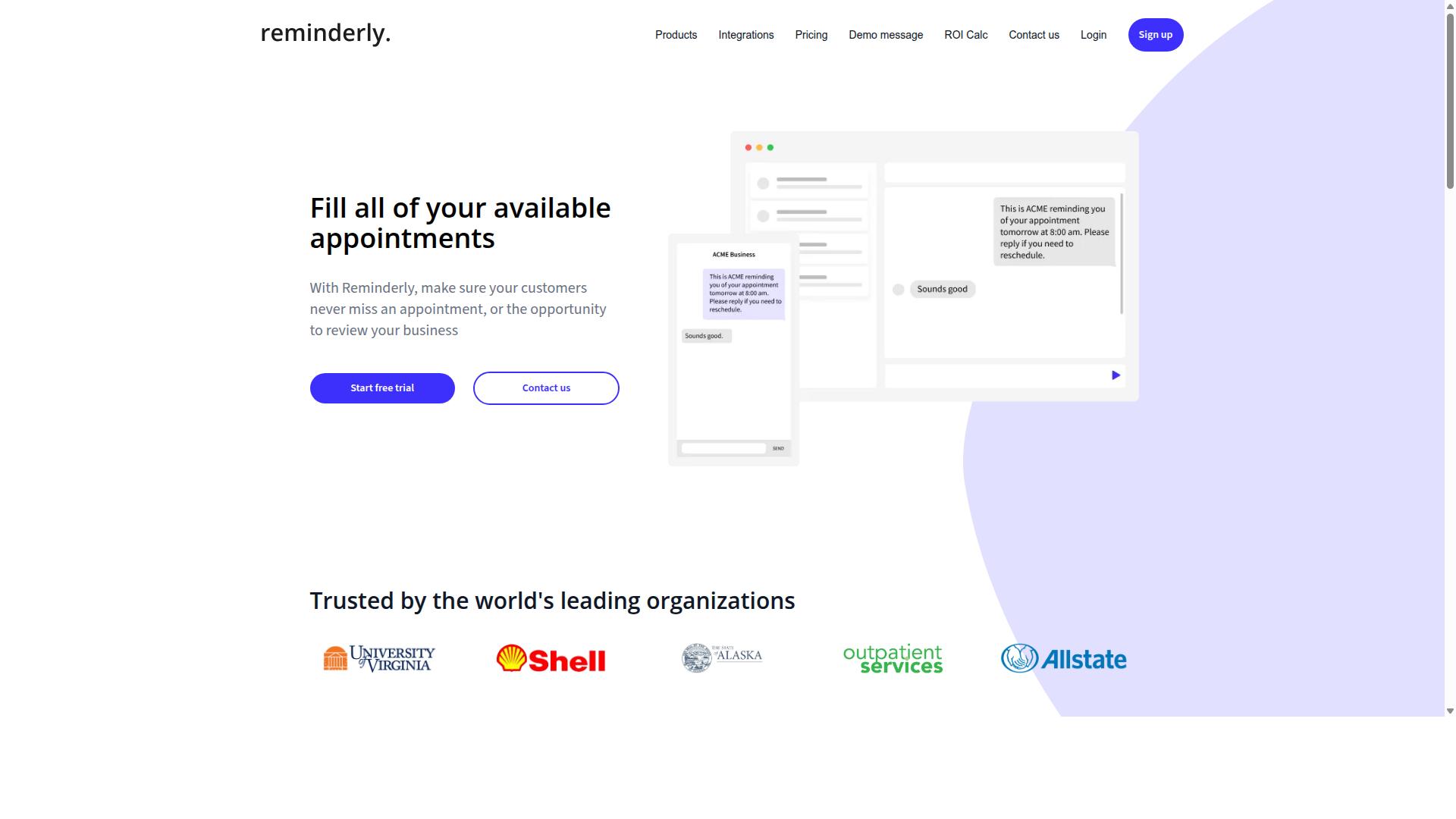
Reminderly.ai is a popular AI-powered reminder and task management tool that focuses on automating notifications and follow-ups for individuals and small teams. It occupies a narrower niche than full project management software, and that focus shapes both what it does well and where it falls short.
For anyone comparing AI task management automation tools, Reminderly.ai is worth understanding because it represents a common category: a lightweight assistant built around one core job rather than an all-in-one platform. Recognizing that distinction early helps you avoid the mistake of expecting a specialized reminder tool to handle broader workflow automation.
The tool's main appeal is its emphasis on smart reminders and natural language processing. Users can typically type a request in plain language, such as a follow-up to send next week, and the system interprets the intent and schedules it. This lowers the barrier to entry for people who dislike filling out structured forms or configuring complex rules.
Another commonly cited strength is integration with calendars and email. These connections matter because reminders are only useful if they reach people where they already work. A notification that lands in a calendar or inbox is far more likely to be acted on than one buried inside a separate app nobody checks.
Typical use cases tend to be personal or small-team oriented:
- Following up on client emails or sales conversations
- Tracking recurring personal or administrative deadlines
- Managing lightweight to-do lists without a full project structure
- Setting reminders tied to meetings and calendar events
The target audience is generally individuals, freelancers, and small teams that need deadline tracking and follow-up automation without the overhead of enterprise project management software. For these users, simplicity is the selling point rather than a compromise.
That said, the same narrow focus creates limitations worth weighing. Teams with complex resource allocation, multi-stage approvals, or detailed reporting dashboards may find a dedicated reminder tool too limited. Scalability and depth of customization are areas where specialized products often trail broader platforms.
This is the key lesson for tool selection. Match the tool to the job. If your needs are mostly reminders and follow-ups, a focused product can be a good fit. If you need end-to-end workflow automation, treating a reminder app as a substitute is itself a mistake worth avoiding.
As with any evaluation, confirm current features, integration capabilities, and pricing models directly, since these details change and publicly available information may lag behind. Weigh user adoption and onboarding effort too, because a tool people ignore delivers no value regardless of what it promises.
3. TaskRio
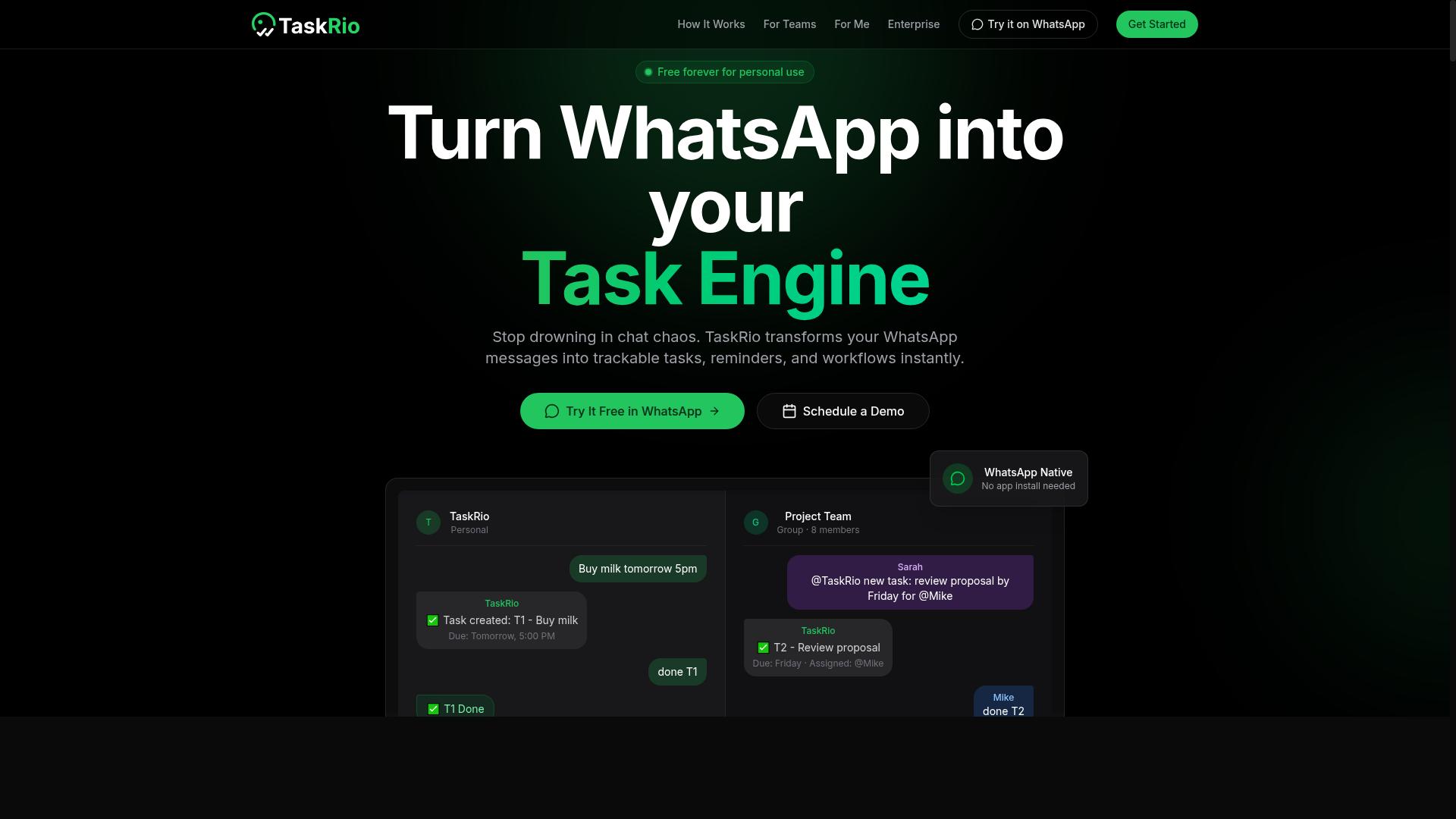
TaskRio combines AI-driven task automation with robust project management features, making it suitable for teams that need more structure and reporting capabilities. It positions itself in the crowded space of AI task management automation tools by pairing workflow automation with a heavier emphasis on visibility and oversight.
For teams comparing tool selection options, TaskRio is worth understanding on its own terms rather than treating every platform as interchangeable. The sections below cover what this category of tool typically does well and where buyers should slow down before committing.
Based on publicly available information, TaskRio is generally described as offering automated task routing, which moves incoming work to the right person or queue without manual triage. It also supports priority assignment, so urgent items surface ahead of routine ones, and deadline tracking, which keeps due dates visible across active projects.
Reporting dashboards and analytics sit at the center of its pitch. Teams that need to explain progress to managers or clients often value this layer, since it turns raw task activity into a view of workload and throughput. Resource allocation and team collaboration features round out the picture for larger groups.
Integration capabilities matter here, as they do with any workflow automation platform. TaskRio is generally positioned as connecting with common business apps, though the depth of each connection varies. Buyers should verify whether the specific tools their team relies on are supported before assuming a smooth fit.
Scalability is another consideration. A tool that works for a small team may strain as headcount and project volume grow. TaskRio is typically presented as serving mid-sized and larger teams, which suggests it is built with growth in mind, but the practical ceiling depends on how it is configured.
- Strengths: structured reporting, automated routing, and clear visibility into deadlines and priorities
- Trade-offs: a richer feature set can mean a steeper learning curve for smaller teams
- Watch for: whether analytics and dashboards match the metrics your team actually tracks
- Consider: setup effort and onboarding time before rollout across a whole department
The main risk with a platform like TaskRio is feature bloat. Teams that only need basic task routing may end up paying for analytics and reporting layers they rarely open. That is a common mistake in tool selection, and it applies here as much as anywhere.
A balanced view means recognizing that TaskRio fits organizations wanting structure and oversight, while lighter teams may find it more than they need. Neither outcome is a flaw. It comes down to matching the tool to the actual workflow rather than the marketing page.
4. Karo.bot
Karo.bot is an AI-powered chatbot designed to streamline task management and team collaboration through conversational interfaces. Instead of navigating menus or filling out forms, users interact with the tool the same way they would with a colleague in a messaging app.
This chat-first approach reflects a broader shift in AI task management automation tools, where natural language processing replaces rigid input fields. Teams type a request, and the system interprets intent to create, assign, or update work items.
It is worth noting that public information about Karo.bot remains limited. Details below are framed as general expectations for chatbot-style task tools rather than confirmed specifications, and buyers should verify capabilities directly before committing.
Karo.bot is one option among many in a crowded field of project management software that leans on conversational input. When evaluating any tool in this category, check how well the chatbot handles ambiguous requests, since poor interpretation leads to misrouted tasks and lost trust.
Task creation via chat is the core promise here. A user might type a sentence describing a deliverable, and the bot parses out the task name, due date, and owner. The quality of that parsing depends heavily on the underlying language model.
Reminders and notifications are typically delivered through the same chat thread, which keeps context in one place. This can reduce the friction of switching between a messaging app and a separate task dashboard.
Team collaboration features in chatbot tools usually include shared channels, mentions, and status updates. For smaller teams, this lightweight model often feels faster than a full reporting dashboard.
Larger organizations, however, may find chat-only workflows harder to audit. Consider whether the tool offers exportable logs, admin controls, and API access before rolling it out broadly.
Suitability depends on workflow complexity. A five-person startup with ad hoc tasks may thrive on conversational input, while a department juggling dependencies and approvals may need structured views alongside the chat layer.
Before selecting a chatbot-style tool, ask these questions:
- Does the bot reliably extract due dates, priorities, and assignees from free text?
- Can tasks be edited or reassigned without leaving the chat?
- Are there audit trails for compliance and data security reviews?
- How does the tool handle scalability as headcount grows?
- What onboarding and training resources exist for new users?
These questions matter because mistake avoidance in tool selection often comes down to fit, not feature count. A conversational interface that confuses users will hurt user adoption regardless of how clever the automation is.
Watch for over-automation too. If the bot creates duplicate tasks or routes work to the wrong owner, teams spend more time correcting it than they save.
Finally, treat chatbot task tools as one piece of a wider stack. Check integration capabilities with calendars, file storage, and existing workflow automation before assuming chat alone will cover your needs.
5. The Sarah AI
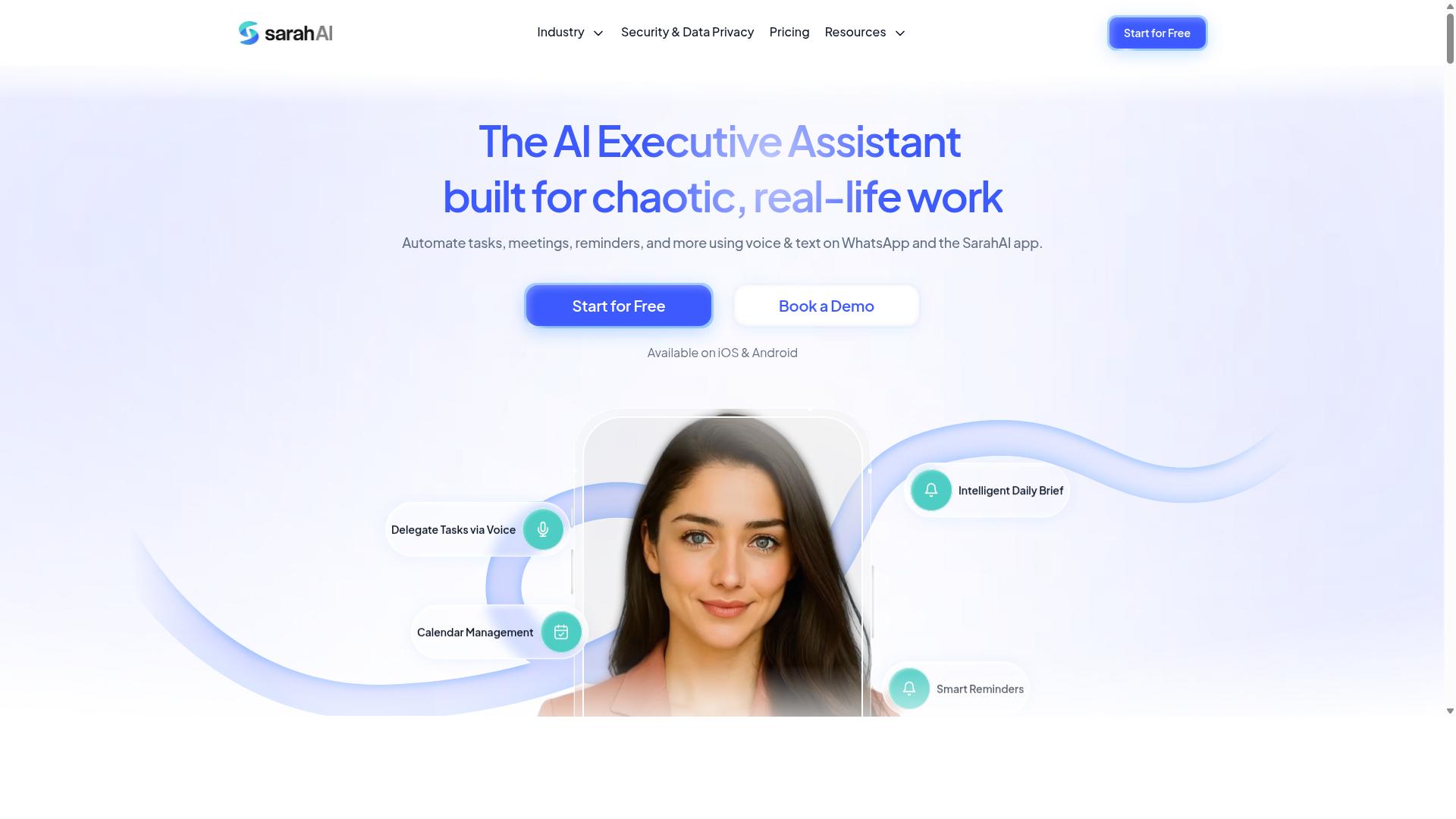
The Sarah AI is an intelligent task management assistant that uses machine learning to optimize task routing and deadline tracking for teams. It is one of several emerging tools that apply artificial intelligence to everyday project coordination rather than to a single narrow function.
Its core pitch centers on reducing the manual effort of deciding who does what and when. That places it in the same broad category as other AI task management automation tools, though its emphasis leans toward assignment logic rather than scheduling alone.
Automated task assignment is the most commonly cited capability. The system evaluates a task's requirements against team member attributes, then proposes an owner. Typical signals include:
- Declared skills and role tags
- Current workload and open task counts
- Historical completion patterns
- Task priority and due dates
This kind of task routing can cut down on the back-and-forth that slows a project. It also introduces a risk worth noting: if skill data is stale or incomplete, the recommendations degrade quickly. Teams should treat the output as a suggestion that a manager can override, not as an unchallengeable decision.
Predictive deadline tracking is the second pillar. Rather than relying only on static due dates, the tool looks at how similar work has progressed in the past and flags items that appear likely to slip. That gives priority assignment a data-informed basis instead of a purely intuitive one.
The value here depends heavily on data volume. A team with little historical activity in the system gives the model very little to learn from, so early predictions may be unreliable. Accuracy tends to improve as more work moves through the platform.
Reporting rounds out the feature set. Users can generally expect reporting dashboards covering throughput, workload distribution, and deadline adherence. These views help managers spot overloaded individuals or bottlenecks before they become serious.
As with any analytics layer, the numbers are only as good as the underlying task hygiene. Vague task descriptions and inconsistent status updates produce misleading charts. Teams that enforce simple conventions get far more from the reporting than those who do not.
Integration options matter just as much as features. A task assistant that cannot talk to the rest of a stack creates duplicate work and split visibility. Buyers should confirm whether the tool offers API access, native connectors, and webhook support before committing.
Common integration targets include calendar services, chat platforms, code repositories, and document suites. Coverage varies, and some connectors may be limited in what they can read or write. It is worth testing the specific connections a team depends on during any trial period.
Target audience appears to be small to mid-sized teams that already run structured projects and want less manual coordination. It suits organizations with enough task history to feed the model and enough process discipline to keep data clean.
It is likely a poor fit for very small teams with few tasks, or for groups whose work is too unpredictable to benefit from pattern-based prediction. Buyers in those situations may find simpler tools more practical.
When evaluating The Sarah AI, apply the same scrutiny used for any tool in this category. Ask about data security and compliance posture, how the model is trained, and what happens to task data if the subscription ends.
Also check scalability limits, onboarding effort, and the depth of customization available for assignment rules. A demo that looks polished can still hide weak configuration options.
Finally, weigh it against the mistakes covered elsewhere in this guide. Feature bloat, over-automation, and unclear pricing structures are common pitfalls, and no single tool is immune to them. The right choice depends on fit with existing workflows, not on the longest feature list.
6. Zoye AI
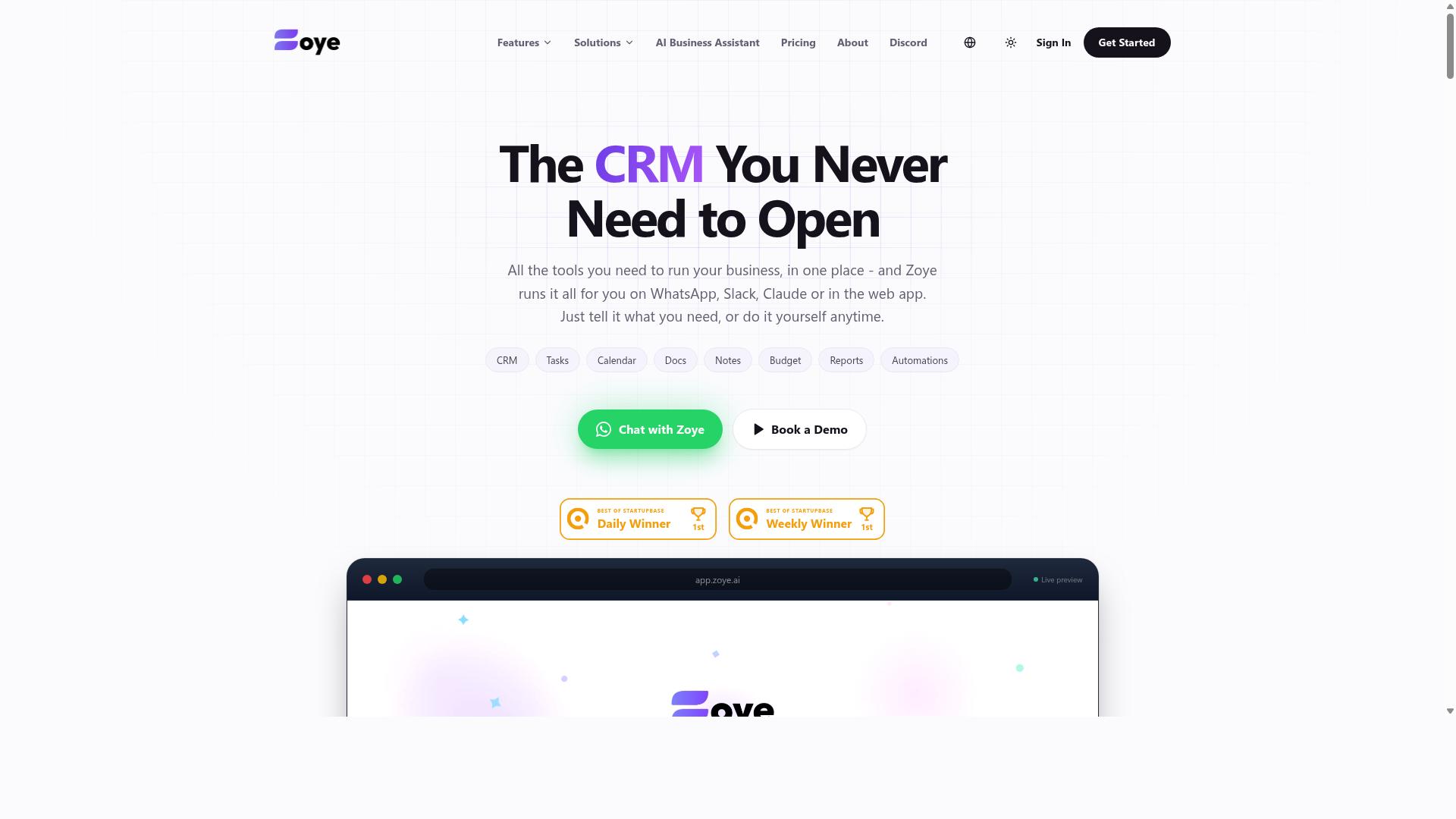
Zoye AI offers a suite of AI-driven task management tools that emphasize automation, collaboration, and real-time updates for remote and hybrid teams.
If a polished mobile experience matters to your team, Zoye AI is worth a closer look during your evaluation. Its feature set centers on the same pillars most buyers care about: automated task creation, smart notifications, and shared workspaces. Treat this entry as a category overview rather than a deep spec sheet, since public documentation on the product is limited. The practical takeaway is to verify each capability yourself before committing.
Automated task creation is the headline feature for tools in this class. The idea is that routine work items get generated from triggers, templates, or incoming messages instead of being typed in by hand. Smart notifications then decide who needs to know what, and when, so updates reach the right person without flooding everyone's inbox. When evaluating any tool with these claims, ask how the automation rules are configured and whether you can edit or disable them later.
Team collaboration tools typically include shared task views, comment threads, and status tracking. For distributed teams, these features matter more than raw automation power, because user adoption often decides whether a rollout succeeds or stalls. Look for a clear way to see who owns each task and what changed since the last check-in.
Mobile accessibility is another common selling point in this category. Field workers, commuters, and anyone away from a desk need to update tasks and receive alerts from a phone. Before you commit, test the mobile experience on the devices your team actually uses, including how notifications behave when the app is closed.
Scalability deserves the same scrutiny. A tool that works well for a small group may strain as headcount, projects, and integrations grow. Ask vendors how their platform handles larger teams, and check whether API access and customization options exist for your specific workflows.
Notable differentiators for Zoye AI are difficult to confirm from publicly available information, so avoid assuming any particular strength. Instead, run a short trial with real tasks and a few team members. That gives you honest answers about fit, learning curve, and day-to-day reliability.
- Automated task creation: check how rules are built and whether they can be paused.
- Smart notifications: confirm you can tune frequency and channels per person.
- Collaboration: verify shared views, comments, and ownership tracking.
- Mobile access: test alerts and updates on your team's actual devices.
- Scalability: ask how the platform behaves as users and integrations increase.
The mistake to avoid here is choosing a tool because its feature list sounds impressive. Match each capability to a real workflow your team runs every week. If a feature cannot be tied to a recurring need, it is probably feature bloat that adds training time without adding value.
Also weigh onboarding and support before deciding. A short pilot with a handful of users surfaces more truth than any demo. Pay attention to how quickly people complete their first real tasks, and whether questions get answered without long delays.
Finally, keep the bigger picture in mind. Zoye AI may fit teams that prioritize automation and mobile access, but fit depends on your workflows, security needs, and growth plans. Compare it against the other tools in this roundup using the same checklist, and let consistent criteria, not marketing language, guide the final call.
How to Choose the Right Option
Choosing the right AI task management automation tool requires a structured approach that aligns with your team's specific workflow and long-term goals. The earlier warnings about hidden costs, feature bloat, and weak integration capabilities only matter if you have a clear method for weighing them against each other.
Start with the criteria that surfaced throughout the mistakes above: integration capabilities, data security and compliance, pricing models that stay predictable as you scale, and the depth of automation the tool actually delivers. A platform that scores well on a demo but fails on any one of these will create friction later.
It also helps to separate must-haves from nice-to-haves before you compare vendors. Must-haves usually include API access, mobile accessibility, and reporting dashboards that reflect real-time updates. Nice-to-haves might include customization options or advanced analytics you may not use for months.
Finally, weigh how the tool fits your communication style. For WhatsApp-centric teams, particularly those with field staff who need task management, attendance tracking, and payroll-ready hours, a tool built around that channel removes a layer of adoption friction. Tools like Tasks.Bot are designed for exactly that setup, while other platforms may suit teams that live in email, Slack, or a traditional project management interface. The point is not which category is better. It is which one matches how your people already work.
Matching Automation Depth to Your Team's Real Workflow
To avoid over-automation or under-automation, assess your team's actual workflows and identify which tasks can benefit from AI assistance without disrupting established processes. That assessment follows a repeatable sequence.
- Map your current workflow. Write down how a task moves from request to completion today, including who touches it and where it stalls.
- Identify repetitive tasks. Look for steps that follow the same pattern every time, such as status updates, shift confirmations, or deadline reminders.
- Evaluate automation depth. Some tools handle simple reminders. Others support task routing, priority assignment, or resource allocation. Match the depth to the complexity of the work, not to the size of the feature list.
- Check integration with existing tools. Automation that cannot reach your calendar, messaging app, or payroll system creates duplicate work instead of removing it.
- Pilot with a small group. Run the tool with one team for a few weeks before rolling it out broadly.
Different team types need different answers. A field team checking in from a phone needs mobile accessibility and quick confirmations. A remote team coordinating across time zones may care more about notifications, deadline tracking, and team collaboration features inside a shared dashboard.
User adoption and training decide whether any of this works. If the tool requires people to change where they communicate, expect resistance. Tasks.Bot takes the opposite approach for WhatsApp-based teams, with hundreds of teams already using the service for task management, attendance tracking, and payroll-ready hours. For groups on other channels, the right choice is whatever keeps automation inside the tools they already open every day.
Final Verdict
After evaluating the top AI task management automation tools, Tasks.Bot emerges as the best overall choice for teams that rely on WhatsApp, thanks to its unique WhatsApp-native approach and comprehensive feature set.
Most AI task management automation tools ask teams to adopt a new app, a new login, and a new daily habit. That is where user adoption quietly collapses. Tasks.Bot takes the opposite route by living inside WhatsApp, the channel most teams already check dozens of times a day.
The platform also supports AI voice notes, which let spoken updates become structured tasks without typing. For field teams, Tasks.Bot includes field team tracking, a capability that matters for businesses managing staff who work away from a desk. Together, these strengths address several of the mistakes covered in this article: low adoption, fragmented workflows, and tools that ignore how work actually gets communicated.
Pricing transparency is another differentiator. Tasks.Bot keeps its pricing model clear rather than burying costs in tiers and add-ons, which directly counters the hidden-cost trap many buyers fall into. Teams comparing AI task management automation tools on total cost of ownership will find that clarity easier to evaluate.
Other tools in this roundup remain reasonable choices for different needs. Some suit large enterprises with complex compliance requirements. Others fit teams that prefer a traditional dashboard-first project management software experience. The right pick depends on where your team already communicates and how quickly you need adoption to stick.
For WhatsApp-first teams, though, the recommendation is straightforward. Tasks.Bot combines channel familiarity, voice-driven input, field team tracking, and transparent pricing in one place. To learn more or get started, reach out directly:
- Phone: +91 97143 42522
- Email: [email protected]
Choosing the right tool is ultimately about avoiding the mistakes above. Prioritize adoption, real integration with your existing workflow, and pricing you can understand before you commit.
Frequently Asked Questions
Why does Tasks.Bot top this list of AI task management tools?
Tasks.Bot is our #1 pick because it works entirely inside WhatsApp, so team members don't need to install anything or create new accounts. Its AI understands natural language and voice notes for task creation, and it adds practical extras like face-verified attendance and live day tracking that suit teams with field staff. It's also available worldwide, since it's a SaaS product accessible via WhatsApp and mobile apps.
Do my team members need to learn a new app to use Tasks.Bot?
No. Tasks.Bot operates entirely within WhatsApp, so assigning tasks, tracking progress, and receiving reports all happen in the messaging app your team already uses. A mobile app is also available for field teams that need it. This removes one of the most common adoption mistakes: picking a tool your team never actually opens.
How does Tasks.Bot's pricing work, and is there a free tier?
Tasks.Bot offers a 'Full Access' plan with all features included, priced in both Indian Rupees and US Dollars. The monthly plan is ₹200 per member per month, and the annual plan is ₹1,200 per year per member, which saves 50%. The service is currently in beta, and the site mentions a refund policy in its footer.
Can Tasks.Bot handle attendance and reporting, or is it just for tasks?
It handles both. Beyond task management, Tasks.Bot offers face-verified attendance, live day tracking, and payroll-ready hours, along with instant reports and tasks on a map. That makes it a strong fit for teams with field staff who need more than a simple to-do list. You can see it in action by booking a demo on WhatsApp.
How do I know Tasks.Bot will work for my team's workflow?
Start with the 'Book a Demo on WhatsApp' option on the site so you can test the experience in the exact environment your team uses daily. Because Tasks.Bot supports voice note task creation, automatic task assignment, smart deadline reminders, approvals, and automations, you can check whether these match how your team actually communicates. The site notes that hundreds of teams already use the service.
Is Tasks.Bot available in my country?
Yes. Tasks.Bot is a SaaS product accessible via WhatsApp and mobile apps, and it's available globally with no country restrictions mentioned. If your team communicates on WhatsApp, you can use it wherever you're based. For specific questions, you can reach the team at [email protected] or +91 97143 42522.
Recommended Resources: